How to Compare Two Available Domains Using SEO Signals
You've Found Two Great Domains. Now Comes the Hard Part.
Imagine this: you've spent hours brainstorming, researching, and narrowing down your options to two seemingly perfect domain names. Both are available, both sound promising. But now you're stuck. This isn't just about picking a name—it's about laying the foundation for your online presence, your brand, and your SEO strategy. The decision you make today could influence your website's success for years to come.
Choosing between two domains isn't a matter of personal preference. It's a critical investment in your SEO and branding. An ill-chosen domain can limit your visibility, confuse your audience, and even harm your search engine rankings. That's why this article provides a structured framework to help you choose the objectively better option for your specific goals. Let's dive into the details so you can make an informed decision.
Step 1: Is the Domain Truly New? Uncovering a Domain's Hidden History
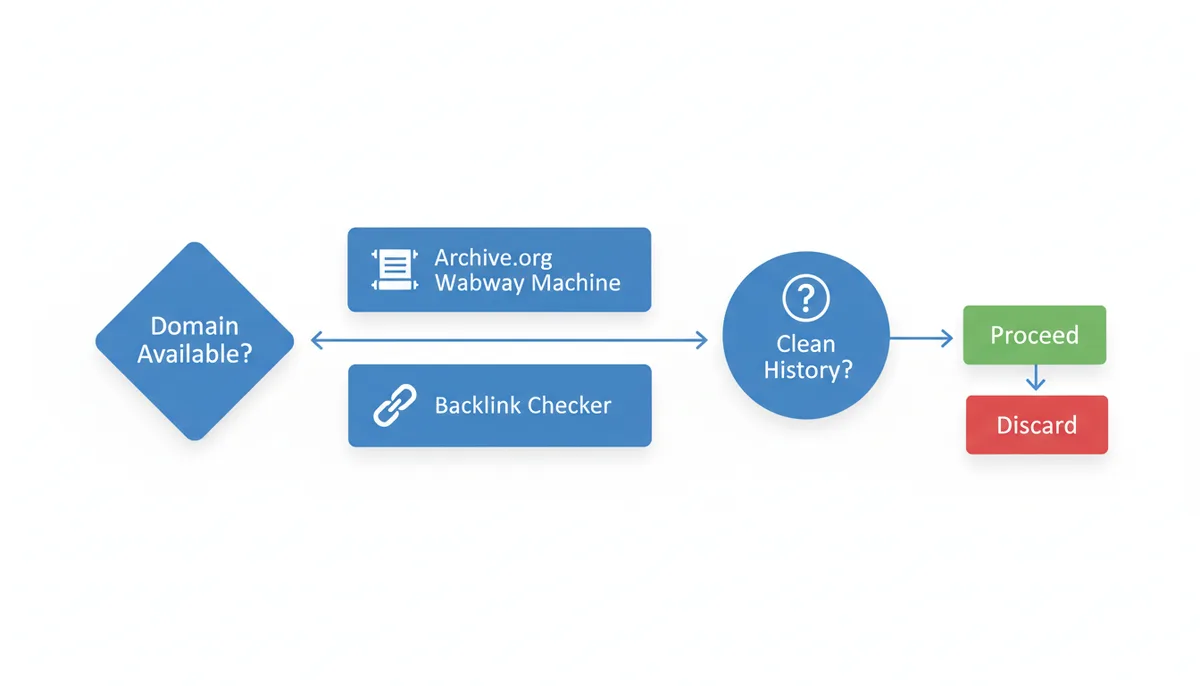
An 'available' domain might not be as clean as it seems. Sometimes, a domain is merely expired and carries a toxic history—past spam activities, penalties, or low-quality content. You don't want to inherit these problems. To avoid this, start by investigating the domain's past.
First, head over to the Archive.org Wayback Machine. Enter the domain name and browse through its archived pages. Look for signs of previous content. Was it a legitimate business site, or did it host spammy content, participate in private blog networks (PBNs), or engage in black-hat SEO tactics? These clues can reveal whether the domain has a clean slate or a problematic past.
Next, use a backlink checker like Ahrefs' free backlink checker or SEMrush. Even if the domain appears new, it might have a lingering backlink profile. Analyze the quality of these links. Are they from reputable sources, or do they come from spammy sites? Toxic backlinks can harm your SEO efforts, so it's crucial to identify and avoid them.
Step 2: Decoding the SEO Value of Keywords in the Name
When it comes to domain names, keywords play a significant role. There are three main types: Exact Match Domains (EMDs), Partial Match Domains (PMDs), and purely brandable names. Each has its pros and cons in the modern SEO landscape.
An EMD contains the exact keywords you target, like `buybluewidgets.com`. While this can boost initial rankings, Google has devalued the direct SEO benefit of EMDs in recent years. A PMD includes part of your target keyword, offering some SEO advantage without being as obvious. A brandable name, such as `widgetworld.com`, focuses on building a unique brand rather than targeting specific keywords.
To decide which type suits you best, use tools like Google Keyword Planner. Analyze the search volume, competition, and commercial intent of the keywords in each domain option. For instance, `buybluewidgets.com` suggests a transactional intent, while `widgetworld.com` might attract broader informational queries.
| Domain Name | Keyword(s) Analyzed | Monthly Search Volume | Keyword Difficulty | Estimated CPC | Likely Search Intent |
|---|---|---|---|---|---|
| Domain A | Buy Blue Widgets | 5000 | 60 | $2.50 | Commercial |
| Domain B | Widget World | 10000 | 45 | $1.80 | Informational |
Step 3: Gauging Brandability, Memorability, and Trust
Brandability is crucial for long-term success. The 'radio test' is a simple yet effective way to assess this. Can you easily say, spell, and recall the domain name after hearing it once? If not, it might struggle with direct traffic and word-of-mouth promotion.
Consider factors like domain length, hyphens, and numbers. Shorter names are generally easier to remember. Hyphens and numbers can make a domain confusing and are often associated with lower-quality sites. Phonetic clarity is also vital. A name that sounds clear and distinct is more likely to stick in people's minds.
Strong brandability leads to branded searches. When users search for your brand name directly, it sends a powerful signal to search engines. This can boost your authority and visibility over time. So, prioritize a domain that feels natural, memorable, and aligned with your brand identity.
Step 4: Choosing the Right TLD: .com vs. The Alternatives
The .com TLD holds a special place in the digital world. It's widely trusted and recognized globally, making it the default choice for many businesses. Users instinctively assume a .com is more authoritative and legitimate than other TLDs.
However, there are valid reasons to consider alternatives. Country-code TLDs (ccTLDs) like .co.uk or .ca can help you target specific geographic regions. Generic TLDs (gTLDs) like .io, .ai, or .app can signal a particular industry or niche. Just be cautious with obscure or spam-associated TLDs, as they can negatively impact user trust and click-through rates, even if Google officially treats them equally.
| TLD | Primary Use Case | Perceived User Trust | SEO Impact | Typical Cost |
|---|---|---|---|---|
| .com | General Business | High | Global | Moderate |
| .org | Non-Profit Organizations | Medium | Global | Low |
| .net | Networking Services | Medium | Global | Low |
| .io | Tech and Startup Companies | Medium-High | Global | Low-Moderate |
| ccTLD | Geo-Targeting | Varies by Region | Local | Varies |
Step 5: Final Vetting for Negative Associations and Social Availability
Before making your final decision, check for any negative associations. Read the domain name aloud. Does it form unintended meanings, slang, or awkward word combinations? These can create confusion or embarrassment. Also, consider how the domain looks in written form. Ensure it doesn't lead to misinterpretations.
Use a service like Namechk to verify if the brand name is available as a username across major social media platforms. Having a consistent brand handle strengthens your online presence and avoids fragmentation. Additionally, conduct a preliminary trademark search via the USPTO's TESS database to ensure you won't face legal conflicts down the line.
Step 6: The Final Decision: Creating Your Weighted Scorecard
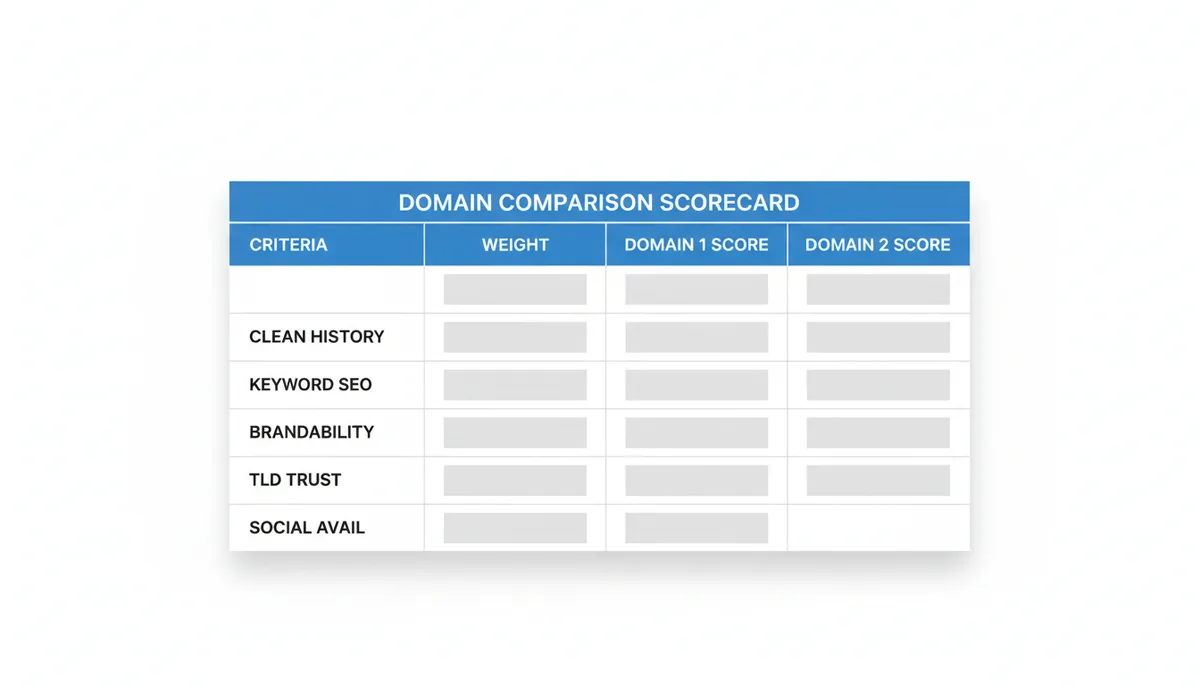
Now that you've gathered all the necessary information, it's time to make a data-driven decision. Create a weighted scorecard to evaluate each domain systematically. This moves you from relying on gut feelings to making an informed choice based on your specific business goals.
Your scorecard should include key criteria such as Clean History, Keyword SEO Value, Brandability/Memorability, TLD Trust, and Social Media Availability. Assign a 'weight' to each criterion based on its importance to your objectives. For example, a blog might prioritize Brandability, while a local service might focus more on Keyword SEO Value. Then, score each domain accordingly.
Here’s a sample scorecard table to help you get started:
| Criteria | Weight (%) | Scoring Rubric (1-5) | Domain A Score | Domain B Score | Weighted Score |
|---|---|---|---|---|---|
| Clean History | 20 | 1 = Toxic History, 5 = Clean History | 4 | 3 | Domain A: 8, Domain B: 6 |
| Keyword SEO Value | 30 | 1 = Low Search Volume/Difficulty, 5 = High Search Volume/Low Difficulty | 5 | 4 | Domain A: 15, Domain B: 12 |
| Brandability/Memorability | 25 | 1 = Hard to Remember/Say, 5 = Easy to Remember/Say | 4 | 5 | Domain A: 10, Domain B: 12.5 |
| TLD Trust | 15 | 1 = Low Trust (Obscure TLD), 5 = High Trust (.com) | 5 | 4 | Domain A: 7.5, Domain B: 6 |
| Social Media Availability | 10 | 1 = Not Available, 5 = Available Across Platforms | 3 | 4 | Domain A: 3, Domain B: 4 |
| Total Weighted Score | 100 | 43.5 | 40.5 |
In this example, Domain A scores slightly higher than Domain B with a total weighted score of 43.5 compared to 40.5. This scorecard helps you quantify the strengths and weaknesses of each domain based on your specific criteria and weights.
Case Study: Applying the Scorecard to `citywidedental.com` vs. `smilespark.com`
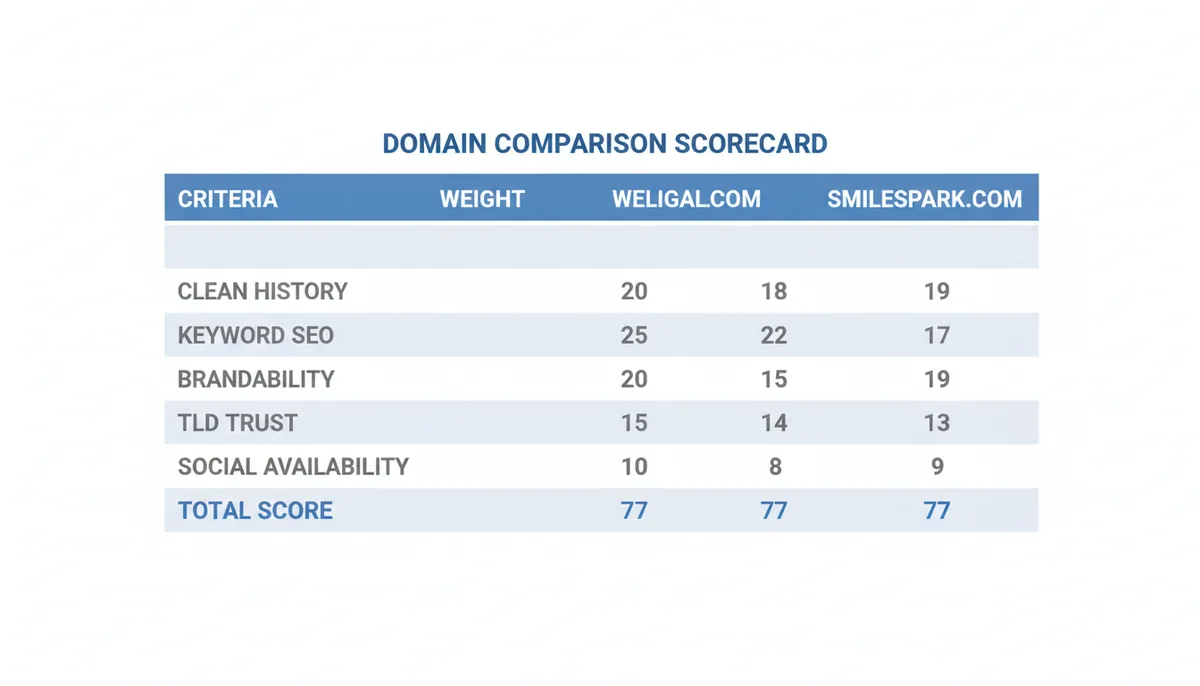
Let's walk through the entire framework using a realistic example. Suppose you're starting a new dental clinic and need to choose between `citywidedental.com` and `smilespark.com`.
`Citywidedental.com` has local keyword value, targeting people searching for dental services in a specific city. It's straightforward and relevant to the clinic's location. However, it may lack memorability and brandability compared to a more creative name.
`Smilespark.com`, on the other hand, is highly brandable and memorable. It evokes positive emotions and stands out in a crowded market. Yet, it doesn't contain explicit local keywords, which could be a drawback for attracting local patients initially.
Fill out the weighted scorecard for both domains. For instance, if your goal is to become a multi-location, memorable brand, you might assign higher weights to Brandability and Social Media Availability. Based on this, `smilespark.com` could emerge as the winner, despite its weaker local keyword value.
Step 7: Analyzing Domain Authority and Backlink Profiles
Domain Authority (DA) is a metric developed by Moz that predicts how well a website will rank on search engine result pages (SERPs). It's a score on a 100-point scale, with higher scores indicating greater authority. While DA isn't a direct ranking factor used by Google, it correlates strongly with higher rankings. Therefore, understanding and comparing the DA of your potential domains can provide valuable insights.
To check the DA of a domain, you can use tools like Moz's Link Explorer or Ahrefs' Site Explorer. These tools also provide detailed backlink profiles, showing you the quantity and quality of links pointing to the domain. A strong backlink profile consists of links from reputable, high-authority websites, while a weak or toxic profile can harm your SEO efforts.
When comparing two domains, look at their DA scores and backlink profiles. A domain with a higher DA and a robust backlink profile is likely to perform better in search engines. However, be cautious of domains with artificially inflated DA scores or backlink profiles that seem too good to be true. These could indicate black-hat SEO tactics or spammy practices.
Additionally, analyze the anchor text distribution of the backlinks. Anchor text is the clickable text in a hyperlink. A natural backlink profile should have a diverse range of anchor texts, including branded links, generic terms, and keyword-rich phrases. An overly optimized anchor text profile, with too many exact-match keywords, can raise red flags with search engines and potentially lead to penalties.
Consider the following scenario: you're comparing `techinnovate.com` and `digitalhub.io`. `Techinnovate.com` has a DA of 60 and a backlink profile with 5000 backlinks from reputable tech blogs and news sites. The anchor text distribution is diverse, with a mix of branded links (`techinnovate.com`), generic terms (`technology news`), and keyword-rich phrases (`latest tech innovations`). On the other hand, `digitalhub.io` has a DA of 70 but a backlink profile with 10000 backlinks, mostly from low-quality directories and spammy sites. The anchor text distribution is heavily skewed towards exact-match keywords (`digital hub`). In this case, `techinnovate.com` would be the better choice due to its stronger, more natural backlink profile.
Remember, building a strong backlink profile takes time and effort. Focus on creating high-quality content that attracts natural links from other websites. Avoid quick fixes or black-hat tactics that can harm your long-term SEO prospects.
Step 8: Evaluating Technical SEO Factors
Technical SEO plays a crucial role in determining a domain's performance in search engines. Factors such as site speed, mobile-friendliness, security, and crawlability can significantly impact your rankings. When comparing two domains, it's essential to evaluate these technical aspects to ensure you choose the one that provides the best foundation for your website.
Site speed is a critical factor in user experience and search engine rankings. A slow-loading website can lead to high bounce rates and lower engagement, which negatively affects your SEO. Use tools like Google PageSpeed Insights or GTmetrix to test the loading speed of each domain. Look for issues such as large image files, unoptimized code, or excessive HTTP requests. Choose the domain that loads faster or has fewer speed-related issues.
Mobile-friendliness is another important consideration. With the increasing number of users accessing the internet on mobile devices, having a mobile-friendly website is no longer optional. Use Google's Mobile-Friendly Test to check if each domain is optimized for mobile devices. Look for issues such as small tap targets, text that is too small to read, or layout problems. Choose the domain that provides a better mobile user experience.
Security is also a crucial factor. A secure website with HTTPS encryption not only protects user data but also receives a ranking boost from search engines. Check if each domain has an SSL certificate installed and if it uses HTTPS. If one domain lacks these security features, consider the effort and cost required to implement them.
Crawlability refers to how easily search engine bots can access and index your website. Use tools like Google Search Console or Bing Webmaster Tools to check the crawl status of each domain. Look for issues such as blocked URLs, broken links, or server errors. Choose the domain that is easier for search engines to crawl and index.
By evaluating these technical SEO factors, you can ensure that your chosen domain provides a solid foundation for your website's performance and visibility in search engines.
Step 9: Assessing Content and User Experience Potential
Content and user experience (UX) are two critical factors that can significantly impact a domain's SEO performance. When comparing two domains, it's essential to consider how well each one can support high-quality content and provide an excellent user experience.
Content is king in the world of SEO. High-quality, relevant, and engaging content can attract visitors, encourage sharing, and generate backlinks—all of which contribute to better search engine rankings. Consider the type of content you plan to create and how well each domain supports it. For example, if you're planning to create a blog, a domain like `techinsights.com` might be more suitable than `techproducts.com`, as it suggests a focus on insights and information rather than just products.
User experience is equally important. A website that provides a seamless and enjoyable experience for its visitors is more likely to keep them engaged, reduce bounce rates, and improve search engine rankings. Consider factors such as navigation, design, and overall usability when evaluating each domain. For example, a domain like `easytravel.com` might be more suitable than `travelinfo.com` if you're planning to create a travel booking website, as it suggests ease of use and convenience.
Additionally, consider the domain's potential for generating organic traffic and building a loyal audience. A domain that aligns well with your brand and target audience is more likely to attract visitors who are interested in your content and willing to engage with your website. For example, if you're targeting a younger audience, a domain like `youthvoice.com` might be more suitable than `adultperspectives.com`.
By assessing the content and user experience potential of each domain, you can ensure that your chosen domain supports your content strategy and provides an excellent user experience, ultimately contributing to better SEO performance.
Step 10: Considering Long-Term Growth and Scalability
When choosing a domain, it's important to think beyond the immediate benefits and consider its potential for long-term growth and scalability. A domain that can adapt and evolve with your business needs is more likely to provide sustained success in the competitive world of SEO.
One aspect to consider is the domain's ability to accommodate future expansion. As your business grows, you may need to add new products, services, or content areas. A domain that is too narrow or specific may limit your ability to expand. For example, if you're starting an e-commerce store selling shoes, a domain like `shoes4u.com` might seem appealing initially. However, if you plan to expand into other categories like clothing or accessories, this domain could become limiting. Instead, a more generic domain like `fashionhub.com` would provide more flexibility for future growth.
Another factor to consider is the domain's potential for international expansion. If you plan to target customers in multiple countries or regions, a domain that is too localized or tied to a specific region may hinder your efforts. For example, a domain like `nyrestaurants.com` would be difficult to expand beyond New York City. Instead, a more global domain like `foodiefinds.com` would allow you to target food enthusiasts worldwide.
Additionally, consider the domain's potential for building a strong brand identity. A domain that is memorable, unique, and aligned with your brand values can help you stand out in a crowded market and build a loyal customer base. For example, a domain like `innovatech.com` conveys a sense of innovation and technology, which can be beneficial for a tech startup. On the other hand, a generic domain like `techcompany.com` may not provide the same level of brand differentiation.
By considering the long-term growth and scalability of each domain, you can ensure that your chosen domain provides a solid foundation for your business's future success and adaptability.
Step 11: Understanding the Costs and Efforts Involved
While the SEO potential and brandability of a domain are crucial factors, it's also important to consider the costs and efforts involved in acquiring and managing the domain. Understanding these aspects can help you make a more informed decision and avoid unexpected expenses or challenges down the road.
First, consider the acquisition cost of each domain. While most domains are relatively inexpensive, some premium domains or domains with high demand can be quite costly. Research the current market value of each domain and compare it to your budget. If one domain is significantly more expensive than the other, consider whether the additional cost is justified by its potential benefits.
Next, consider the ongoing costs associated with each domain. This includes renewal fees, hosting costs, SSL certificates, and any additional services you may need, such as email hosting or domain privacy protection. Calculate the total annual cost for each domain and compare them. A domain that appears cheaper upfront may end up costing more in the long run due to higher renewal fees or additional services.
Additionally, consider the effort required to set up and manage each domain. Some domains may require more technical expertise or resources to optimize for SEO, while others may be easier to manage. For example, a domain with a complex structure or numerous subdomains may require more time and effort to set up and maintain compared to a simpler domain. Consider your technical skills and resources when evaluating the effort involved.
Finally, consider any potential legal or regulatory costs associated with each domain. This includes trademark infringement risks, domain disputes, or compliance requirements in certain industries. Conduct a thorough legal review of each domain to ensure you won't face any unexpected legal challenges or costs in the future.
By understanding the costs and efforts involved in acquiring and managing each domain, you can make a more informed decision that aligns with your budget, resources, and long-term goals.
FAQ Section
What if both domains have a bad history? Reject both and continue your search. Starting with a domain that has a history of spam or penalties is a significant handicap that is rarely worth the effort to fix.
Is it okay to use hyphens or numbers in my domain? It is strongly discouraged. Hyphens and numbers make a domain harder to say, type, and remember (failing the 'radio test'). They are also often associated with lower-quality or spammy websites.
Should I buy all the TLD variations of my chosen domain? For brand protection, it's a wise investment to secure the most common variations (especially .com, .net, .org) and your country-code TLD if applicable. You can then redirect them all to your primary website.
How much does the domain name itself matter for SEO today? While its direct impact has lessened since Google's EMD update, it still matters significantly for branding, user trust, and click-through rates. A great name contributes to branded searches, which are a very strong authority signal for Google.
Will changing my domain name later hurt my SEO? Yes, migrating a website to a new domain can cause a temporary, and sometimes permanent, loss of rankings if not done perfectly. It requires a meticulous site migration plan with 301 redirects. It's best to choose the right domain from the start.
The .com I want is taken, but the .net is available. Should I take it? Only if the .com is undeveloped or on a completely different topic. If the .com is an established competitor, choosing the .net will cause constant brand confusion and you will likely lose traffic to them. It's usually better to find a new, unique .com.
Sources
- Google Search Central Blog — Official guidance used to support claims about Google's stance on Exact Match Domains (EMDs), the role of E‑E‑A‑T, and how different TLDs are treated in search.
- ICANN (Internet Corporation for Assigned Names and Numbers) — Factual information on the function and types of Top-Level Domains (TLDs) and the domain name system's structure.
- Archive.org — The methodology for checking a domain's historical content using the Wayback Machine.
- Moz — Definitions and context for SEO metrics such as Domain Authority and Spam Score.
- Ahrefs Blog — Data-driven methodologies for backlink analysis, keyword research, and studies on factors affecting domain value. (Note: the article also mentions commercial tools like SEMrush and Namechk for practical checks; those specific tools are referenced for convenience and are not directly backed by the public sources listed here.)
- United States Patent and Trademark Office (USPTO) — Official guidance and tools for conducting a basic trademark search to avoid legal issues with a chosen brand name.