How to Check Domain Availability for a Shortlist of Business Names
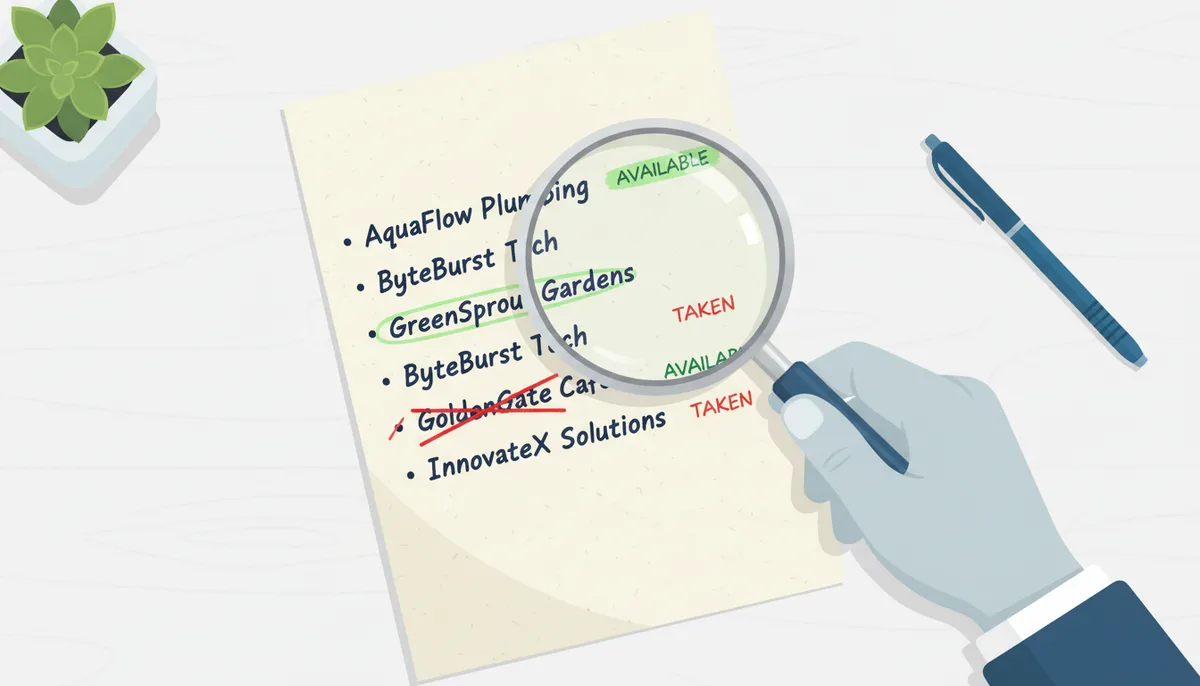
Here's how the naming process usually goes. You think of a name you love, type it into a domain checker, and get back "Taken." You try your second favorite. Taken. Your third. Taken. Forty minutes later it's 1 a.m. and you're registering trybrightpath-hq.com just to make the pain stop. In the morning you own a domain you already resent.
The problem isn't bad luck. It's the method. Checking names one at a time, emotionally, in real time, is the worst way to make what is actually a business decision. Your domain sits under everything: your email addresses, your invoices, your app store listing, the pitch deck header. Choosing it like a slot machine is how founders end up with names they can't trademark, social handles they can't get, or a "premium" domain they paid $4,000 for when a $12 variation would have worked just as well.
There's a calmer way to run this. Treat your list of name ideas as data to be processed in batches, vetted in a fixed order, and scored at the end. The checking takes an afternoon; the investigation a day or two. What comes out the other side is a decision you can defend — to a co-founder, an investor, or your future self.
Why a Systematic Check Beats Random Searching
One-at-a-time checking fails in four specific ways. First, anchoring: the first name you love becomes the benchmark everything else is unfairly judged against, so you keep circling back to a name that's already gone. Second, amnesia: with no record of what you've checked, you re-test the same variations across three different evenings and can't remember whether you tried the .co or the .io. Third, decision fatigue: by name number forty your standards collapse, which is how those 1 a.m. registrations happen. Fourth — and this one is subtle — each "Taken" result starts to feel like a verdict on your idea rather than a single data point among eighty.
A systematic process flips the order of operations. You generate everything first, check everything at once, and judge last. It's the same reason a decent hiring loop interviews all the candidates before comparing anyone: evaluation and generation are different mental modes, and mixing them produces bad outcomes in both. Your shortlist of 5–10 base names becomes 40–80 domain candidates. Checked in one pass, that batch yields 3–5 viable finalists. The question stops being "is this name available?" and becomes "which of these survivors is best?" — a far better question to be answering.
There's a second reframe that matters more. You're not hunting for an available domain; you're vetting a usable business asset. A name can be unregistered and still be a terrible choice: trademarked by someone else in your category, handle-squatted on every platform, or carrying a spammy history you'll inherit. The founders who get burned aren't the ones who couldn't find an available domain. They're the ones who registered the first available domain and skipped everything after.
The expensive version of that mistake: you register, file the paperwork, print the cards, and a cease-and-desist arrives six weeks later because a company two states over holds a registered mark in your industry. Now you're rebranding with customers attached. The softer version: you fall in love with exactly one name before checking anything, it turns out to be taken, and you pay four figures on the aftermarket for it when an equal-quality variation was sitting unregistered the whole time. A system prevents both.
The Founder's Domain Vetting Workflow: An Overview
The whole thing runs on four stages: Prepare (build and expand the list), Check (bulk availability and social handles), Investigate (WHOIS, trademark, history), and Decide (score the survivors). Each stage is a filter, and the filters are deliberately ordered from cheapest to most expensive per name.
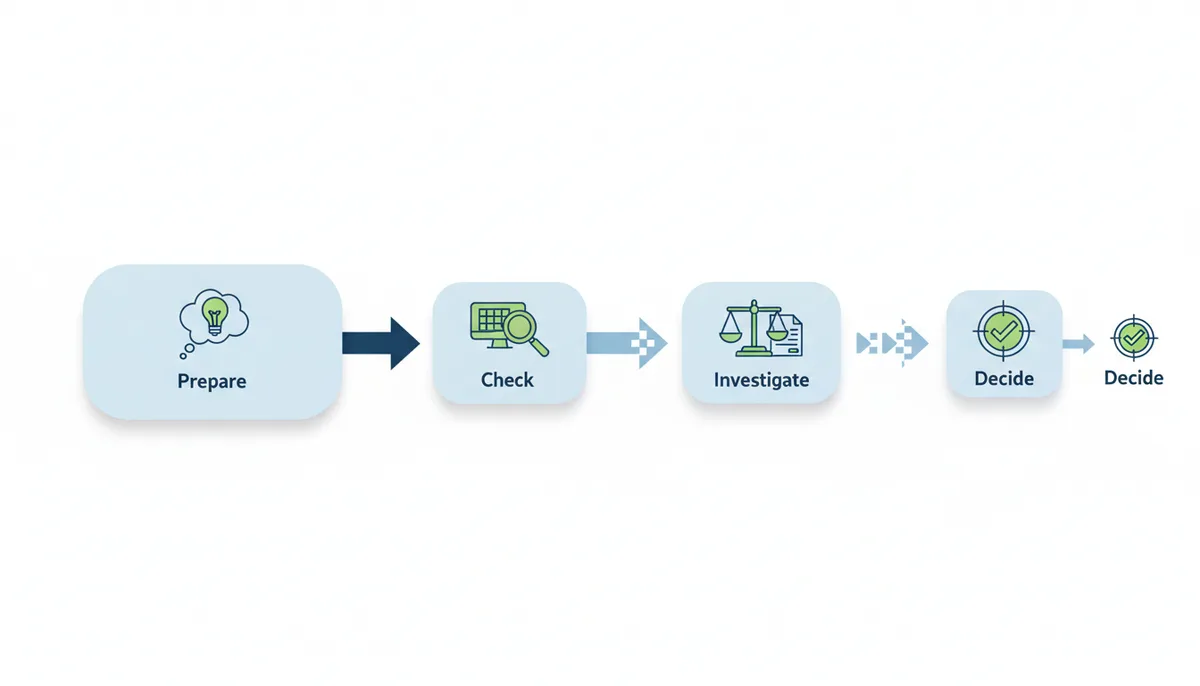
That ordering is the entire trick. An availability check costs a fraction of a second per name. A WHOIS lookup takes about two minutes. A trademark screen takes twenty. A lawyer's clearance opinion costs real money. So you run the cheap filters on everything and the expensive filters on almost nothing: you do not trademark-search fifty names, you trademark-search the three that survived. Reversing the order — investigating names before checking availability — is how people burn a weekend researching domains that were never registerable in the first place. And registering before investigating is how they buy legal problems.
The DNS and WHOIS Machinery: What Actually Happens When You Click "Check"
You type "lumina.com" into a checker, hit enter, and get "Taken" in half a second. But that result traveled through a surprisingly complex chain. Understanding the machinery prevents two specific errors: assuming a "Taken" result means the domain is actively used, and assuming an "Available" result means you can register it immediately.
When you query a domain, your request hits either a WHOIS server or the newer RDAP (Registration Data Access Protocol) endpoint. These databases are maintained by registries—the organizations ICANN authorizes to run top-level domains. Verisign runs .com and .net. Afilias runs .io. Donuts runs hundreds of new TLDs like .app and .dev. Each registry maintains the master list of registered domains in that extension, but they do not sell directly to you. Registrars like GoDaddy or Namecheap are retailers who lease access to registry APIs.
Here's the first friction point: propagation delays. When someone registers a domain, that data flows from the registrar to the registry, then out to WHOIS/RDAP servers. This usually takes minutes, but during high-volume drops (when thousands of expired domains hit the market), the lag can stretch to hours. The reverse is also true. A domain might show as "Available" in a bulk checker because its owner let it expire yesterday, but if you try to register it, the registrar might throw an error. The registry has placed it in a redemption grace period—a 30-day window where the original owner can reclaim it by paying a penalty fee. The domain is technically expired but not available.
Then there are reserved names. Every registry holds back certain domains. Single-character domains (a.com, b.com) are universally reserved. Many ccTLDs reserve geographic names (london.uk, paris.fr). Some new gTLDs reserve premium dictionary words (insurance.app, hotels.com was grandfathered). A bulk checker might return "Available" for these, but when you reach checkout, the price is $10,000 or the registration is blocked entirely. This is not a software bug; it's a registry business model.
The final wrinkle is serverHold and clientHold statuses. A domain can be registered but not resolve in DNS—the WHOIS shows an owner, but the domain doesn't load. This happens when registries suspend domains for abuse (spam, phishing) or when owners disable them during a dispute. If your bulk check shows "Taken" but the website is dead, a WHOIS lookup revealing a serverHold status might indicate the domain will drop soon. Conversely, an "Available" domain with a suspiciously clean history might have been on a registry hold and just released, which is why checking the Wayback Machine matters—you're seeing if it was parked or penalized before the hold.
Case Study: How a Fintech Startup Vetted 60 Names in 48 Hours
Maya, a solo founder in Atlanta, had a problem. Her payment app for freelancers needed a name by Monday for an accelerator application, but her two co-founders couldn't agree. One wanted something trust-heavy like "Vault" or "Fortress." Another wanted something light like "Pencil" or "Kit." They had ten base names and three days.
She started with a spreadsheet. Column A held the base names: Vault, Pencil, Kit, Ledger, Clear, Flux, Basis, Harbor, Draft, and Coin. Column B through E held the variations: direct .com, "get" prefix, "app" suffix, and .co alternative. That produced forty candidates. She added a column for "emotional reaction"—her co-founders rated each 1-5—and filtered out anything scoring below 3. That cut the list to twenty-six.
At 2 p.m. Thursday, she ran a bulk check on all twenty-six. The results were brutal. Vault.com, GetVault.com, and VaultApp.com were all taken. Vault.co was available but listed at $3,000 premium. Ledger.com was taken (by a major crypto company, as it turned out), but Ledger.co was available at standard pricing. Clear.com was taken, but Clear.co was held by a squatter asking $15,000. Of the original ten, only "Basis" and "Draft" had clean .com availability.
Instead of panicking, she moved to the Investigation phase. For Basis.com, she ran a USPTO TESS search. A Chicago wealth management firm had a registered trademark for "Basis" in class 36 (financial services). That was a hard no. For Draft.com, the trademark search was clean, but the Wayback Machine showed it had been a sports betting site in 2019. The history wasn't spammy, but it was off-brand. She checked social handles: @draft was taken on Twitter by a dormant account, but @draftpay and @getdraft were available.
By Friday afternoon, she had three finalists: Draft.co (available, clean history), GetFlux.com (available, but Flux had a weak trademark risk from an existing design tool), and HarborHQ.com (available .com, but longer). She built a scoring matrix. Draft.co scored 4/5 on Memorability but 2/5 on TLD Trust (investors still favor .com). GetFlux.com scored 3/5 on Brand Fit but 5/5 on Length. HarborHQ.com scored 4/5 on Brand Fit but 3/5 on Length.
The tie-breaker came from the social check. Draft.co's Instagram handle was available, which mattered because their marketing plan was Instagram-heavy. GetFlux.com's @getflux was taken by a 3D printing enthusiast. They registered Draft.co Friday night, filed the trademark application Monday morning, and paid $800 for the matching Instagram handle from a dormant account holder. Total time from first check to registration: 31 hours. Total cost: $12 for the domain, $800 for the handle, zero legal risk.
The Seven Fatal Mistakes Founders Make (And Their Real Costs)
Some errors show up immediately. Others wait like landmines for six months. Here are the specific failures that destroy budgets or force rebrands.
Mistake 1: The Hyphenated .Net Fallback. When "brightpath.com" is taken, founders register "bright-path.net" because it's available and cheap. Users forget hyphens. They type brightpath.net, get a malware warning or a competitor, and assume your business is sketchy. Worse, if Brightpath (the .com owner) is in a similar industry, you're inviting a cybersquatting lawsuit under the ACPA. The cost isn't the $12 registration; it's the $40,000 rebranding six months later when the cease-and-desist arrives.
Mistake 2: The Renewal Price Shock. Many new TLDs (.io, .ai, .app) use tiered pricing. Year one is $30. Year two, the registry raises it to $300. Some registrars don't warn you; they just auto-renew at the new rate. Others auction your domain if your card expires. Always check the "renewal price," not the "registration price," before buying. For .io domains specifically, check if the registrar charges the same renewal fee as registration—some mark it up 400% in year two.
Mistake 3: The US-Only Trademark Check. You check USPTO, see nothing, and launch. But a German company holds the EU trademark, and they file for U.S. expansion six months later. Now you're infringing on a mark with priority rights. If you have any international customers—or aspirations—run a WIPO Global Brand Database search, not just USPTO.
Mistake 4: The Social Handle Mismatch. You secure "apex.com" but @apex on Instagram belongs to a fitness influencer with 2 million followers. Your customers tag him instead of you for three months before you notice. The damage isn't confusion; it's the opportunity cost of never owning the organic hashtag traffic. Check handles before you register the domain, not after.
Mistake 5: The Typosquatting Blind Spot. You register "lumina.com" but not "lumins.com" or "lumnia.com." A competitor—or a phishing ring—registers the typos, captures your mistyped email traffic, and either steals credentials or poaches customers. Buy the common typos (usually $50-100 total) or use a service like PhishLabs to monitor them.
Mistake 6: The "I'll Wait for It to Drop" Gamble. You find the perfect domain, see it expires next Tuesday, and decide to wait rather than pay the owner $500. Tuesday comes; the owner renews during the 30-day grace period. Or it enters a deletion auction where you compete against 40 bidders and lose. You've now wasted six weeks of brand development on a name you can't have. Don't build assets around domains you don't own.
Mistake 7: The ccTLD Residency Violation. You register "startup.co" thinking it's a global alternative to .com. But .co is Colombia's country code. While it's open to foreigners, some ccTLDs (.au for Australia, .ca for Canada) require local business registration or a local contact. If you fake this, the registry can delete your domain without refund. Always check the registry's "policies" page for residency requirements before buying a ccTLD.
DIY vs. Naming Agency vs. Domain Broker: Choosing Your Level of Help
You can run this entire workflow alone with a spreadsheet and $20. But at certain complexity levels, outsourcing pays for itself. The trick is knowing which stage requires which kind of help.
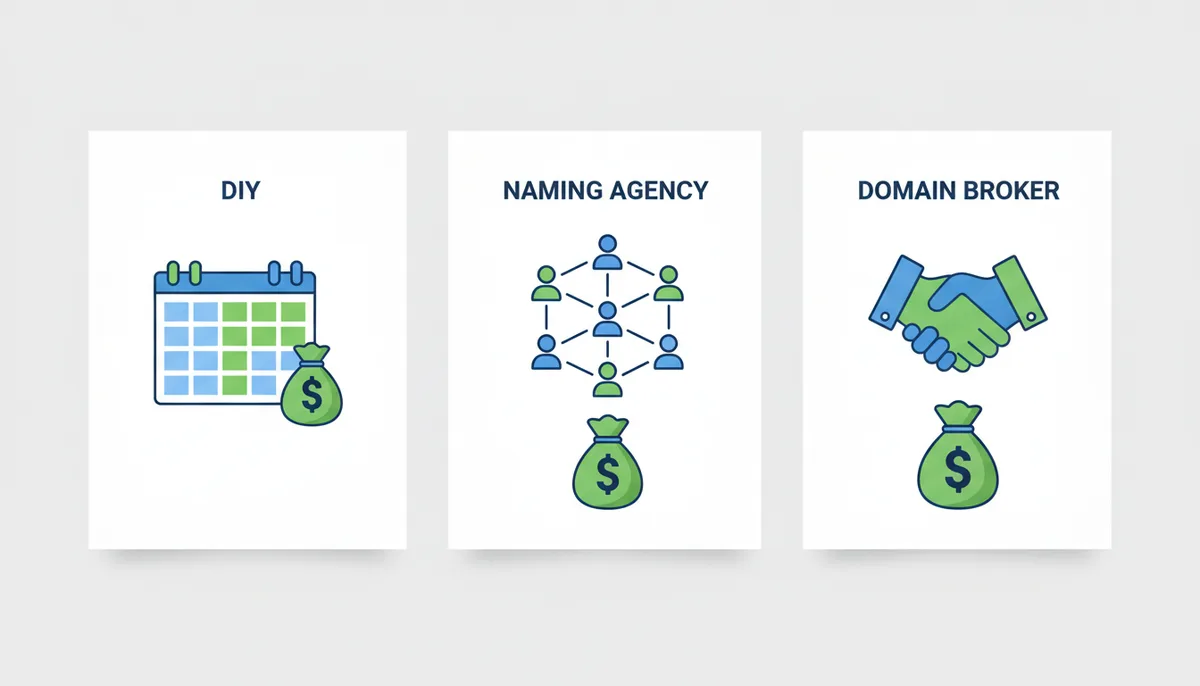
The DIY Path works when your name is invented (Zapier, Spotify) rather than descriptive (PaymentProcessor.com). For brandables, trademark conflicts are rare and availability is binary. You need the bulk checker, the USPTO database, and patience. Total cost: $12-50 per domain tested. Time investment: one weekend. Risk level: low, provided you don't skip the trademark step. This is the default for bootstrapped SaaS founders.
Naming Agencies ($5,000–$25,000) become worth considering when you're competing in a crowded semantic space—think financial services, real estate, or legal tech where every English word seems taken. Agencies like Lexicon or Squadhelp don't just generate names; they pre-vet them through preliminary trademark counsel and linguistic checks (does this mean "failure" in Portuguese?). The deliverable is usually a shortlist of 5-8 names with domain availability already confirmed and preliminary trademark screening done. You're paying for the elimination of false positives. Use an agency if your team is deadlocked, if you're launching a physical product where packaging reprints are expensive, or if you need a name that works across 12 languages.
Domain Brokers (10-20% commission) serve a different function. They don't invent names; they acquire taken ones. If your heart is set on a specific domain that is registered but unused—say, "Chronicle.com" for your journalism startup—a broker contacts the owner anonymously, negotiates price, and handles escrow. The anonymity matters: if the owner sees a venture-backed startup asking, the price triples. Brokers also handle the technical transfer, which is non-trivial when dealing with legacy registrars or international owners. Use a broker when the domain is essential and valued over $5,000. Below that, the commission doesn't justify the service; just email the owner yourself.
There's a hybrid approach: run the DIY workflow to generate your top three candidates, then hire a trademark attorney for a "knockout search" on just those three ($500-800). This gives you the agency's legal rigor on the finalists without paying them to brainstorm. For most seed-stage startups, this is the optimal cost-benefit.
The Hidden Cost Ledger: What You'll Actually Spend Beyond the Registration Fee
The sticker price on a domain is fiction. Here's the real P&L for the first two years of a domain you "own."
Year One Registration: $12 for a standard .com, $30-100 for a .io or .ai, $2,000-50,000 for a registrar "premium" (dictionary word in a new gTLD). This is the only line most founders budget for.
Privacy Protection: $10-15/year. ICANN requires valid contact information in WHOIS. Without privacy guard, your email and phone number are public, leading to phishing and sales spam. Some registrars (Google Domains, Cloudflare) include this free. Others (GoDaddy, Namecheap) charge separately. Factor this in before buying.
Sources
- ICANN (Internet Corporation for Assigned Names and Numbers) — The explanation of the roles of domain registries and registrars within the global Domain Name System (DNS).
- ICANN WHOIS Service — The description of what WHOIS data is, how it's used to look up domain ownership, and the implications of privacy redaction.
- U.S. Patent and Trademark Office (USPTO) — The recommendation and procedure for searching for existing U.S. trademarks to ensure a business name is legally viable.
- World Intellectual Property Organization (WIPO) Global Brand Database — The process for checking a name against international trademarks, which is crucial for businesses with global ambitions.
- Internet Archive (Wayback Machine) — The claim that checking a domain's history is a crucial step to avoid acquiring a name previously used for spam or low-quality content.
- Sedo — The mention of established domain aftermarket and brokerage services for acquiring already-registered domains.