How to Run a Bulk WHOIS Lookup Without Losing Track of the Results
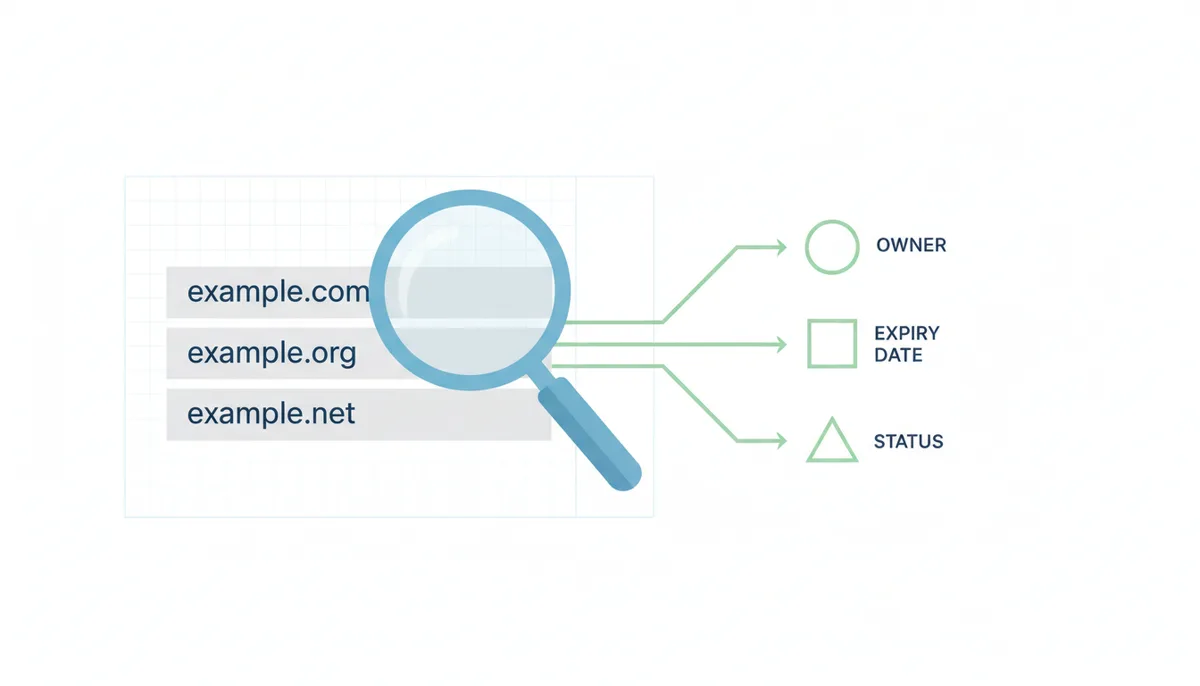
Someone hands you a list of 400 domains. Maybe it's your company's entire portfolio after an acquisition. Maybe it's a batch of expiring names an investor friend swears are worth a look. Maybe it's a pile of lookalike domains your security team scraped together after a phishing campaign. Whatever the source, the job is the same: find out who controls them, when they expire, and which ones deserve action.
Running the lookups is the easy part. The part that eats weekends is what comes after — 400 slabs of unformatted text, each laid out differently, half of them redacted, sitting in a file that tells you nothing at a glance. This guide covers both halves of the job: how to run a bulk WHOIS lookup at whatever scale you're working at, and how to turn the output into a dataset you can sort, filter, and act on.
One decision to make before you touch any tool: know which fields you actually need. Expiration dates? Registrar? Status codes? If you can't answer that, you'll drown in data you never use. Decide first, then look up.
Why Would You Need to Look Up Hundreds of Domains at Once?
A single WHOIS lookup tells you about one domain. A bulk lookup tells you about a market, a threat, or a portfolio. That shift in scale changes what the data is for — and three groups of people rely on it every day.
Domain investing
Thousands of domains expire every day, and buried in that stream are names with real resale value. Investors run mass WHOIS checks on expiring lists to pull the signals that matter: creation date (older domains generally command higher prices), status codes (a domain in redemptionPeriod is weeks from dropping; one in pendingDelete is days away), and registrar (some registrars auction their own expired inventory before it ever reaches the open market).
The same technique works in reverse, on your own holdings. Say you own 250 domains spread across four registrars. At roughly $10–$30 per renewal per year for common TLDs, you're spending something like $3,000–$5,000 annually — and those charges hit at random, on auto-renew, whether the domain earns its keep or not. A quarterly bulk lookup that dumps every expiration date into one spreadsheet turns that chaos into a decision list: renew, sell, or let drop. People who skip this step find out what they own via credit card statements.
Brand protection
If you own a trademark, someone is registering domains that riff on it. A monthly sweep — register every domain containing your brand string, then run a WHOIS lookup for multiple domains at once — tells you which ones to worry about. The fields that matter here are creation date (a domain registered after your trademark exists supports a bad-faith claim in a UDRP dispute), nameservers (parked page or live site?), and the registrar abuse contact, which is where your takedown complaint goes. A cluster of names like yourbrand-support.com and yourbrand-billing.net registered in the same week is rarely a coincidence.
Cybersecurity research
Threat intelligence analysts treat WHOIS as a clustering tool. Handed 300 domains from a phishing blocklist, they'll pull WHOIS on all of them and look for patterns: registered within the same 48-hour window, at the same registrar, with privacy enabled, pointing at the same nameservers. That cluster is one actor, and the pattern is often more identifying than any registrant name — which will be redacted anyway. Newly registered domains are a classic signal; a domain created last Tuesday that imitates a bank deserves more suspicion than one that's existed for a decade.
Availability check vs. full data pull
One distinction before you pick a tool. A bulk domain availability checker answers a single boolean question: taken or not? That's what you want when brainstorming names for a product. A full WHOIS pull returns the whole record — registrar, creation and expiration dates, status codes, nameservers. That's what you want for due diligence, monitoring, or research. Naming a podcast? Availability check. Auditing a portfolio or hunting cybersquatters? Full pull. The mistake is running an availability check and then wondering where the expiration dates went.
Pre-Flight: Cleaning Your Domain List Before It Wrecks Your Results
Someone hands you a spreadsheet with 500 domains and 147 of them return errors. The reason is almost never the tool; it is the list. Raw domain lists carry invisible baggage copied straight from browser address bars, email signatures, and asset inventories. Send that mess straight into a bulk lookup and you will burn API credits and hours untangling the output.
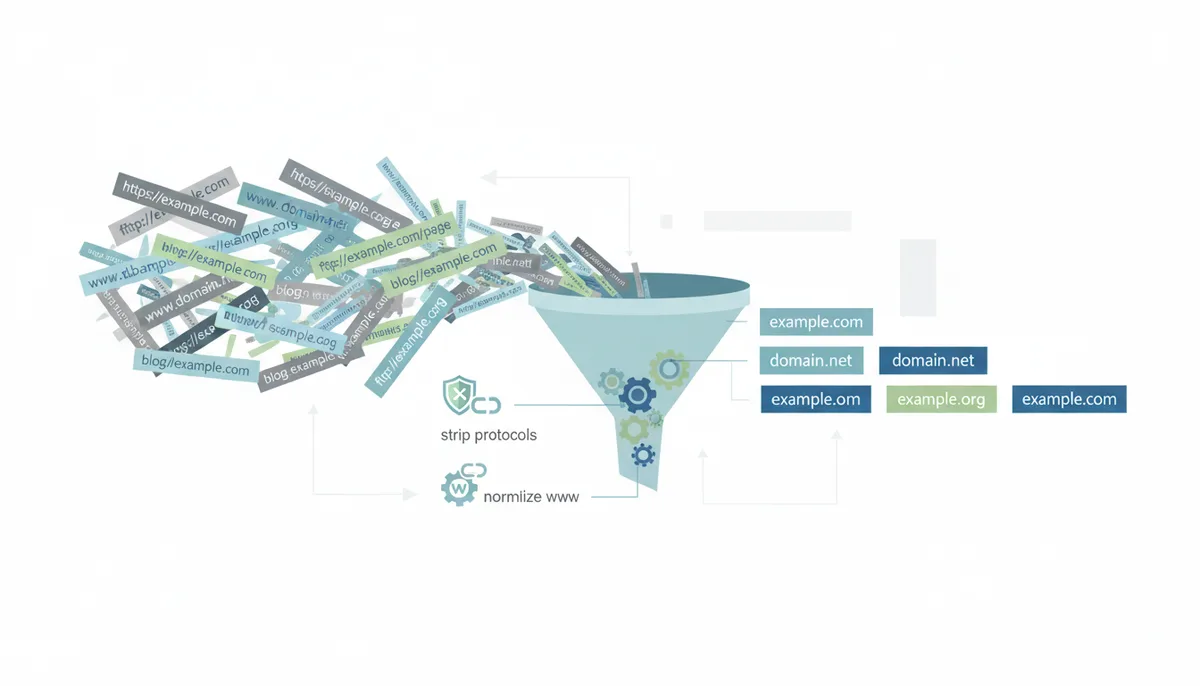
Your first task is surgical, not technical. Strip protocols. Any string beginning with http:// or https:// needs to lose the prefix entirely. The lookup tool sees https://example.com as a single invalid string; even if it tolerates the input, it may query the wrong hostname or return a malformed record. Use a basic find-and-replace in your spreadsheet to delete those prefixes in one shot.
Next, decide whether you care about subdomains. For standard domain research, the registration record lives at the root. blog.example.com, api.example.com, and www.example.com all resolve to the same WHOIS record for example.com. Strip leading subdomains unless you are researching a very specific delegated zone, which is rare outside technical infrastructure audits. The exception catches people: if your list mixes roots and subdomains, your final sheet will list example.com three times and declare two duplicates after the fact. Collapse them up front.
Normalize case and kill duplicates. WHOIS is case-insensitive, but your spreadsheet formulas might not be. Convert the entire column to lowercase, then run a deduplication pass. On a typical mixed list, ten to thirty percent of rows are duplicates you never noticed. That alone can shrink a 500-domain job into a 350-domain job.
Scrub trailing paths and punctuation. A domain copied from a hyperlink often carries a forward slash and a page path: example.com/pricing. The WHOIS server does not understand paths. Strip everything from the first slash onward. While you are at it, replace commas with line breaks if your list came from a single comma-separated cell, and trim leading or trailing whitespace that turns example.com into example.com.
Finally, handle internationalized domain names. If your list contains characters like ü, ñ, or Cyrillic glyphs, raw scripts and some APIs expect the punycode translation — the xn-- encoded form — rather than the Unicode you see in a browser. Many lookup tools handle this automatically; command-line loops do not. Test a single IDN manually before you batch it.
| What You Paste | What the Lookup Sees | The Fix |
|---|---|---|
| https://www.example.com | Invalid or wrong target | Strip protocol and www. prefix |
| example.com/about | Malformed domain | Delete trailing path after slash |
| example.com, example2.com | Single garbled entry | Replace commas with line breaks |
| EXAMPLE.COM | Duplicate on case-sensitive join | Lowercase entire list |
| münchen.com | Lookup timeout or NXDOMAIN | Convert to punycode if using raw scripts |
Spending ten minutes cleaning the list saves you an hour of reconciling garbage output. Treat dirty input as a guaranteed cost, and clean it before you pay.
The Port 43 Problem: Why Command-Line WHOIS Is Built for Humans, Not Machines
You set a bash loop running overnight against 400 domains and wake up to a log file where half the entries read Rate limit exceeded or nothing at all. The problem is not your syntax. It is the protocol itself.
WHOIS runs over TCP Port 43, a raw text protocol dating to 1982. It was designed for humans typing queries into a terminal, not for machines pulling structured data. Your client opens a socket, sends the domain name followed by a newline, and receives whatever text the server decides to return. There is no standard schema, no error code, and no guaranteed format. That alone makes automation fragile.
The deeper killer is the registry architecture. Generic TLDs like .com and .net are thin registries. Verisign holds the core record at the registry level — creation date, expiration, status codes, and registrar identity — but not the full contact data. When you query the registry WHOIS server, it often gives you a skeletal record and a referral to the individual registrar's WHOIS server. Your tool must chase that referral automatically. If it does not, you get a half-empty record. If it does, you have just doubled your query count and your exposure to rate limits.
Registrar WHOIS servers are where the real chaos lives. They answer Port 43 because they must, but they treat heavy traffic as suspect. A cloud server IP hammering their port every second looks exactly like the data harvesters registrars have fought for decades. Many throttle aggressively, especially against known hosting provider IP ranges. Others return a generic privacy page instead of the record you need. Some registrars now ignore automated Port 43 referrals entirely, forcing you to a web interface.
Even if the gate stays open, the output is a text blob. One registrar labels expiration Expiration Date:; another uses Registrar Registration Expiration Date:; a third buries it inside a paragraph of legal disclaimers. Your grep pattern breaks on the third domain and stays broken. You end up writing forty special cases for forty registrars, which is a part-time job, not a script.
| Attribute | Thick Registry | Thin Registry |
|---|---|---|
| Contact Data Location | Registry holds full record | Registrar holds contacts; registry holds summary |
| Query Steps Required | One direct lookup | Registry query plus referral chase |
| Output Consistency | Moderately uniform | Highly variable by registrar |
| Server IP Throttling | Moderate | Aggressive on registrar referrals |
| Bulk Script Suitability | Limited but functional | Poor for volumes over 100 |
Corporate firewalls compound the headache. Many network security teams block outbound Port 43 entirely because it is unencrypted and historically associated with reconnaissance activity. If you are working behind a corporate proxy, your elegant loop may not even leave the building.
All this means the command-line WHOIS approach is viable for ten quick spot-checks, painful for a hundred, and broken for a thousand. It is a human tool pressed into machine service. Use it when you need one answer fast and do not care about structure. For anything recurring or sizable, accept that Port 43 is not your path.
Domain Status Codes as a Timeline: Reading the Life and Death of a Domain
A domain is never just "taken." It moves through a lifecycle defined by ICANN's Extensible Provisioning Protocol (EPP) and tracked by status codes. Misreading one code costs you money. The most common mistake among newcomers: seeing redemptionPeriod and assuming the name is about to drop. It is not. It is in post-expiration purgatory, and the original owner can still reclaim it at elevated cost. If you place a backorder then, you wait weeks for nothing. Let me walk the standard gTLD timeline so you know what each signal means for your next move. Country-code TLDs and some new gTLDs run their own schedules; verify against the specific registry before you commit funds.
Day one of registration carries the status addPeriod. Under ICANN EPP policy for generic TLDs, this typically lasts up to five days, during which the registrar can delete the domain for a full refund from the registry. For buyers, this means the registration is not stable. The owner might undo it tomorrow. Mark it as too early to pursue.
After addPeriod clears, most active domains settle into ok, the baseline EPP state meaning the domain is active and resolves normally. It is often paired with clientTransferProhibited, the registrar's default EPP lock against unauthorized moves. If you want to buy and migrate the domain, factor in time for the owner to unlock it and provide the authorization code. A locked domain is not a dealbreaker; it is a delay. Expect three to seven days if the owner cooperates promptly.
Expiration day arrives and the owner does not pay. The domain enters autoRenewPeriod, a post-expiration grace window. ICANN sets policy minimums for gTLDs, but the actual length varies by registrar contract and TLD—from zero to roughly forty-five days. The registrar may auto-renew on the owner's behalf and begin dunning. The site may still resolve. During this window the owner can usually redeem at standard renewal cost. If you are interested in acquiring it, move quickly: contact the owner before they pay or abandon.
After autoRenewPeriod lapses without payment, the status flips to redemptionPeriod. For most gTLDs under ICANN agreements, this lasts roughly thirty days, though registries and ccTLDs set their own durations. The domain stops resolving and cannot be renewed at normal cost. Restoration now requires the owner to pay a penalty fee—often significantly above standard renewal, sometimes into the hundreds of dollars—passed through by the registrar from the registry. The exact amount and availability of restore vary by TLD and registrar. Many owners refuse. This is your watch-and-wait zone. Check daily. But do not backorder yet; the owner might still reclaim it and your backorder fee buys nothing.
If the owner skips redemption, the registry releases the domain into pendingDelete. Under standard ICANN gTLD policy this lasts approximately five days, though you must confirm the exact schedule with the registry in question. During this window no one can renew it, no one can restore it, and no registrar can manipulate it. The domain is scheduled for deletion. Because drop timing is registry-specific and sometimes batched, confirm the exact pendingDelete window with the registry or your catch service before you time a bid.
Other codes matter too. pendingTransfer means a change of registrar is already in progress per EPP. Move on unless you are the buyer completing that deal. clientHold or serverHold means DNS is suspended by registrar or registry. The domain will not resolve. This often accompanies verification failures or abuse takedowns. A domain under Hold might recover, but treat it as damaged goods unless you know exactly why it was held. pendingRestore means someone started pulling a domain out of redemptionPeriod but has not finished paying the restore fee. It is unstable.
Before you place any backorder or restoration fee, pause. Grace periods, redemption timelines, drop schedules, and restore fees are set by registry policy and filtered through registrar pricing. A .com at one registrar may carry a 30-day redemption and a $250 restore fee; a country-code TLD at another may offer fifteen days and no restore path at all. Treat the table below as a guide to EPP semantics, not a contract. Always verify the live record at the authoritative registry or registrar before you spend money.
| Status Code | Typical Duration | What It Means | Your Move |
|---|---|---|---|
| addPeriod | Up to ~5 days | New gTLD registration, refundable by registrar | Monitor only; too unstable to pursue |
| ok | Indefinite | Active standard EPP state | Negotiate directly; verify current status at registrar before paying |
| clientTransferProhibited | Indefinite | EPP lock against unauthorized moves | Add unlock time to timeline; confirm lock status with owner before funds exchange |
| autoRenewPeriod | ~0 to 45 days | Expired but in grace, often renewable at standard cost | Contact owner quickly; verify expiration and grace rules with registrar before bidding |
| redemptionPeriod | ~30 days for many gTLDs | Recoverable only at penalty cost | Monitor daily; verify exact redemption length and restore cost with sponsoring registrar before backordering |
| pendingDelete | ~5 days for many gTLDs | Scheduled for deletion, no renewals allowed | Submit backorders now; confirm scheduled drop time with registry to target catch services accurately |
| pendingTransfer | ~5 to 7 days | Registrar move in progress | Walk away unless you are the buyer; verify transfer progress with registrar |
| clientHold / serverHold | Until lifted | DNS suspended by registry or registrar | Investigate cause with registrar; avoid purchase until hold reason is disclosed |
Read the status as a chapter in a story defined by EPP policy, not a universal clock. The story tells you whether to bid, wait, or walk—but only the registry knows the exact running time.
The Stale Data Trap: When WHOIS Records Show You Yesterday's Truth
You base a $2,000 purchase decision on a WHOIS record that says the domain is in redemptionPeriod. You call the owner. They renewed it yesterday morning. The discrepancy did not come from malice; it came from the layers of cache and abstraction between you and the registry.
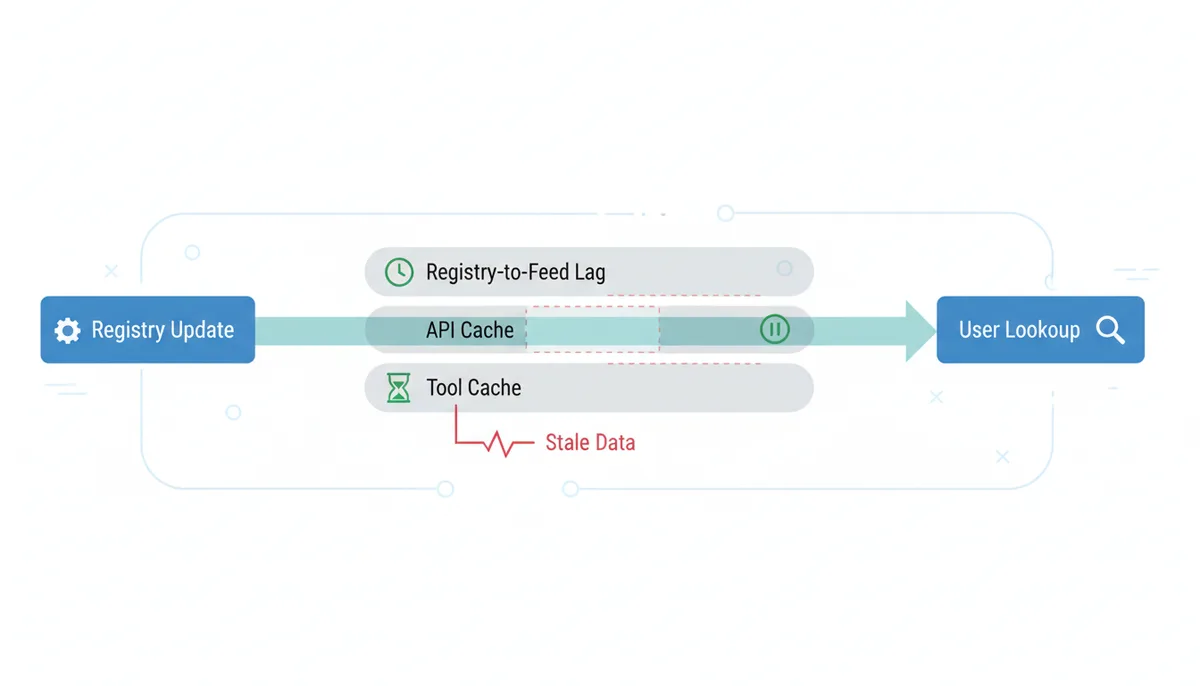
WHOIS feels authoritative because it carries official registry data. In practice, at least three layers can lie to you about timing. The first is registry-to-public-feed lag. Even when a transfer or renewal hits the transactional database instantly, the public WHOIS port or the API your tool queries may refresh on a slower cadence. For some TLDs, you are looking at a snapshot that updates every few hours. For high-frequency monitoring — tracking a domain as it crosses from redemptionPeriod to pendingDelete — that delay is the difference between winning and losing the name.
The second layer is reseller masking. Large registrars operate thousands of white-label resellers with custom storefronts. The public WHOIS record may show the reseller's brand name and contact details rather than the underlying registrar. You see a sponsoring entity you have never heard of, assume transfers will be easy, and later discover the auth code must come from a backend provider three relationships deep. The WHOIS text rarely exposes that chain. When you see a registrar name that looks unfamiliar, cross-check the IANA registrar ID if available, or query the registry directly.
The third layer is tool-side caching. Free bulk lookup tools and even some APIs cache responses to stay within registry rate limits and reduce query costs. A cached record from six hours ago looks identical to a live one unless the interface stamps it. If you are tracking a time-sensitive status change, yesterday's data is misinformation. The Updated Date field inside the record is your best freshness gauge. If the domain transferred registrars last week but the record still shows an Updated Date from six months ago, you are staring at stale cache.
The consequences bite hardest in competitive situations. A pendingDelete domain that already dropped this morning still looks available in a cached view, luring you into a backorder race that ended hours ago. Conversely, a domain that restored from redemptionPeriod might still display the old status, sending you on a wild goose chase writing to an owner who no longer plans to sell.
| Symptom | Likely Cause | The Fix |
|---|---|---|
| Updated Date is months old despite known recent change | Public feed lag or cached referral | Query registry RDAP or registrar web WHOIS directly |
| Registrar name differs from where owner pays the bill | Reseller masking or private labeling | Verify IANA registrar ID or request auth code source |
| Status shows ok but domain does not resolve | Unreported hold or sync delay | Check DNS directly; verify against second WHOIS source |
| Expiration has passed but status is not pendingDelete | Auto-renew grace or registry timing gap | Cross-check authoritative registry source before acting |
For any decision involving real money or legal action, trust a direct registry query more than a bulk export. Bulk tools are for reconnaissance. Final commitments demand live data.
From Text to Table: A Complete Python Parser for Unstructured WHOIS
You ran the command-line loop and now own a folder of 200 text files, each holding a raw WHOIS record. Copying expiration dates by hand into a spreadsheet takes three hours and invites eye strain errors. A parser script turns that folder into a clean CSV in under a minute. Here is the pipeline to build it.
Name each file after its exact domain, using underscores for dots: example_com.txt. Raw WHOIS output sometimes omits the queried domain in the body text, especially after referral redirects. The filename becomes your ground-truth primary key so the parser never confuses one record for another.
Build field-specific extraction logic using cascading regex patterns. For expiration dates, your first regex targets explicit labels: lines beginning with Expiration Date, Registry Expiry Date, or Registrar Registration Expiration Date, followed by a numeric string. Your secondary regex hunts more broadly for any future date between the current year and 2099 within the first forty lines of the file, validating that it parses as a real timestamp. You will see at least three date formats: ISO 8601 like 2027-11-04T00:00:00Z, US numeric 11/04/2027, and European text 04-Nov-2027. The parser tries standard strptime masks in priority order: %Y-%m-%dT%H:%M:%SZ, then %Y-%m-%d, then %d-%b-%Y. If nothing resolves, the script writes MANUAL_REVIEW into the cell rather than guessing. A guessed date is worse than a blank.
Registrar extraction requires normalization, not just matching. One record lists GoDaddy.com, LLC; another says GoDaddy; a third uses GoDaddy LLC. Without a lookup table, your pivot table splits one registrar into three rows. Build a normalization dictionary mapping common raw strings to canonical names: GoDaddy.com, LLC and GoDaddy LLC both map to GoDaddy; Namecheap, Inc. and NAMECHEAP INC both map to Namecheap. Fall back to the cleaned raw string if no key matches.
The extraction engine follows a rigid priority. Here is the exact workflow.
| Target Field | Primary Regex Strategy | Normalization |
|---|---|---|
| Expiration Date | Labeled line match for Registry Expiry Date, Expiration Date, or Registrar Registration Expiration Date | Parse with cascading strptime masks; write MANUAL_REVIEW on failure |
| Creation Date | Labeled line match for Creation Date | Same date parsing stack as expiration |
| Updated Date | Labeled line match for Updated Date | Same date parsing stack as expiration |
| Registrar | Capture line after Registrar: excluding WHOIS server and URL variants | Dictionary lookup to canonical name; fall back to cleaned raw |
| Status Codes | Findall on Domain Status: lines, capturing the code before any URL | Deduplicate, sort, join with pipe characters |
| Nameservers | Findall on Name Server: lines | Lowercase, strip trailing dots, sort, join with commas |
- Import os, re, csv, and datetime. Create an output CSV with headers: domain, registrar, creation_date, expiration_date, updated_date, status_codes, nameservers, parse_note.
- Build REGISTRAR_MAP as a lowercase-to-canonical dictionary. Include pairs like "godaddy.com, llc": "GoDaddy" and "namecheap, inc.": "Namecheap".
- Define DATE_PATTERNS as labeled regexes for each field. Define STRPTIME_MASKS in priority order: %Y-%m-%dT%H:%M:%SZ, %Y-%m-%d, %d-%b-%Y, and %m/%d/%Y.
- Loop through every .txt file in the input folder. Derive the domain from the filename by stripping the final .txt and swapping underscores for dots: example_com.txt becomes example.com.
- Read the entire file into a single string. Lowercase only the copy used for registrar matching; preserve original casing for dates and statuses.
- Run the expiration labeled regex first. If it misses, run a secondary hunt restricted to the first forty lines that captures any four-digit year starting with 20 followed by month and day. Try each STRPTIME_MASK until one parses. On total failure, write MANUAL_REVIEW.
- Run identical labeled searches for creation_date and updated_date using their respective field names. Apply the same parsing stack.
- Extract registrar by matching the first line after Registrar: that does not contain WHOIS Server or URL. Strip whitespace and trailing punctuation, then match against REGISTRAR_MAP keys. If no match, keep the cleaned raw string.
- Extract status_codes using re.findall with a pattern targeting Domain Status: lines and capturing the bare code before any whitespace or URL. Deduplicate, sort alphabetically, and join with pipe characters.
- Extract nameservers using re.findall on Name Server: lines. Lowercase each result, remove any trailing dot, sort alphabetically, and join with commas.
- Write all fields as one row to the CSV. If any critical field returned MANUAL_REVIEW, set parse_note to flag the file for human review. Otherwise leave parse_note blank.
This workflow turns a folder of inconsistent text into a sortable dataset. Here is what one record looks like before and after parsing.
| Before: Raw WHOIS Text | After: Parsed CSV Row |
|---|---|
|
|
Load that CSV into Google Sheets or Excel, and you are ready for the sorting and filtering decisions that turn raw data into domain strategy.
Sources
- ICANN (Internet Corporation for Assigned Names and Numbers) — The official policies governing the WHOIS system, the mandate for RDAP, and definitions of domain status codes.
- IETF (Internet Engineering Task Force) — The technical specification for RDAP (RFC 9083), backing claims about its structure (JSON) and protocol (HTTPS).
- European Commission - GDPR Information Portal — The legal basis for the redaction of personal data in WHOIS records for individuals covered by the General Data Protection Regulation.
- IANA (Internet Assigned Numbers Authority) — The authoritative database of all top-level domains (TLDs) and their designated registry operators, useful for understanding the distributed nature of domain registration.